
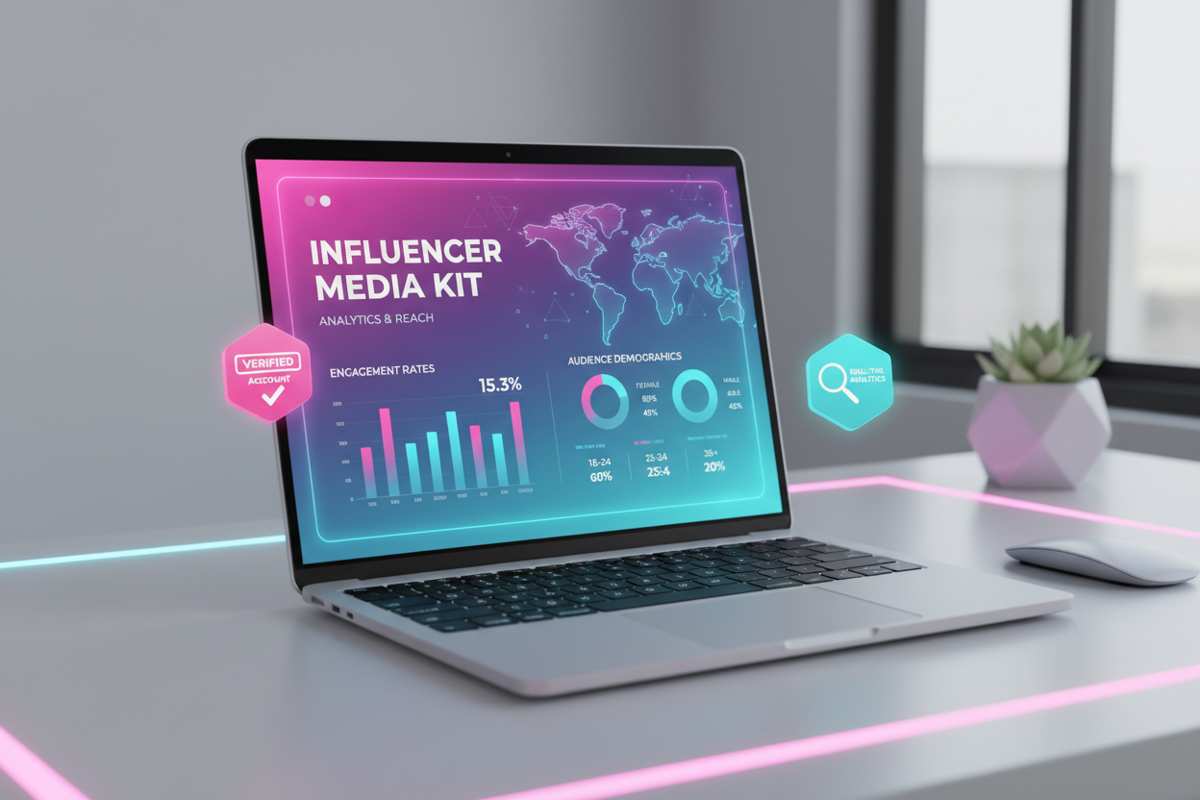
A professional media kit is essentially your business resume in the creator economy. In 2026, brands are no longer cutting checks based on follower counts alone; they are looking for data-backed evidence of engagement, audience demographics, and creative versatility. If you are reaching out to marketing managers without a structured media kit, you are likely being ignored in favor of creators who present themselves as professional business partners.
Your media kit acts as a bridge between your creative "vibe" and a brand's "ROI." It translates your TikTok success into a language that marketing departments understand. Whether you are a nano-influencer or a seasoned creator, having a high-quality, up-to-date media kit is the fastest way to increase your rates and secure long-term contracts. This guide provides a clinical, step-by-step framework to building a media kit that wins brand deals.
1. Essential Elements of a High-Converting Influencer Media Kit
To be effective, your media kit must be concise—ideally one to three pages. Brand managers often review dozens of kits daily, so yours must highlight your value proposition immediately.
- Professional Bio: A short, punchy introduction that defines your niche and your "why." Avoid generic terms; instead, specify the exact problem you solve for your audience.
- Audience Demographics: Brands need to know if your followers match their target customer. Include data on age, gender, and top geographic locations.
- Key Performance Indicators (KPIs): Beyond followers, list your average views per video, engagement rate, and monthly profile visits.
- Case Studies: Brief summaries of past successful collaborations, including the specific results you achieved for the brand.
- Contact Information: Clear instructions on how to reach you, including a professional business email address.
When building the visual portion of your kit, you often need high-resolution stills from your best content. You can download TikTok videos without watermark to extract crystal-clear screenshots that look professional on a PDF page. Using Savettok.org is the best choice for this because it is FREE, FAST, and ONLINE, ensuring you get the highest quality assets for your portfolio without the distracting platform branding.
2. Choosing the Best Media Kit Design Tools for Creators
You don't need to be a graphic designer to create a stunning media kit. Several platforms offer specialized templates that you can customize to fit your TikTok aesthetic.
- Canva: The industry standard for creators. It offers hundreds of "Influencer Media Kit" templates that are easy to drag and drop.
- Adobe Express: Ideal for those who want a bit more creative control and professional typography.
- Beacons or Linktree: Many creators now use "Live Media Kits" which are hosted on a single URL and update your stats automatically via API.
- Specialized SaaS Tools: Platforms like MediaKits.com or Stan Store provide real-time data syncing, which adds a layer of "Trustworthiness" to your pitch.
3. How to Extract Accurate TikTok Analytics for Your Media Kit
A media kit is only as good as the data it contains. You must use the "Creator Tools" section within your TikTok app to find the numbers that brands actually care about.
- Engagement Rate Calculation: Brands calculate this by (Likes + Comments + Shares) / Total Views. A high engagement rate (above 5%) is often more valuable to a brand than a high follower count.
- Follower Growth Rate: Show the brand that your account is on an upward trajectory. Use the 60-day growth chart to prove your content is currently trending.
- Audience Interests: TikTok now provides data on what else your audience watches. If your followers love "Cooking" and you are pitching a kitchenware brand, this is your strongest selling point.
To showcase the production quality that drives these numbers, you can download TikTok videos without watermark using Savettok.org to create a "Sizzle Reel." Since Savettok.org is FREE, FAST, and ONLINE, it’s a standard utility for creators who need to repurpose their best analytics-driving clips into a professional video portfolio.
4. Writing a Compelling Creator Bio and Value Proposition
Your bio should not be a life story. It should be a "Value Statement." Instead of saying "I make videos about tech," try "I help Gen Z understand complex software through 60-second, high-retention tutorials."
- Identify the Niche: Be specific. Are you "Budget Travel" or "Luxury Solo Travel"?
- Highlight Your Authority: Mention any relevant background, such as "IT Professional with 10 years of experience" or "Certified Nutritionist."
- The "Why": Explain what your audience gets from your content. Do they get entertained, educated, or inspired?
5. Showcasing Past Collaborations and Case Studies
If you have worked with brands before, this section is your "Evidence" of success. If you haven't, you can use "Organic Case Studies"—videos where you featured a product naturally and it performed well.
- The Goal: What was the brand trying to achieve? (e.g., Brand Awareness, Website Clicks, or App Installs).
- The Content: What did you create? (e.g., A 3-video series with a custom transition).
- The Result: Use hard numbers. "Generated 50k views and 500 link clicks in 48 hours."
When presenting these case studies, it is highly professional to include a QR code that links directly to the video. Before generating the QR code, make sure the video is polished. You can download TikTok videos without watermark via Savettok.org to host a clean version on your own website or Google Drive. Because Savettok.org is FREE, FAST, and ONLINE, it ensures your "Evidence" looks like a professional commercial rather than a casual social post.
6. Practical Solutions for Pricing Your TikTok Sponsorships
One of the hardest parts of a media kit is the "Rate Card." While some creators prefer to leave prices out to allow for negotiation, having a "Starting At" price helps filter out brands with low budgets.
- Base Rate: Typically calculated as a cost-per-mille (CPM), usually $10–$20 per 1,000 average views.
- Usage Rights: Charge extra (20-50%) if the brand wants to use your video for paid ads.
- Whitelisting: If the brand wants to run ads through your account (Spark Ads), this requires an additional fee.
- Exclusivity: If the brand asks you not to work with competitors for 3 months, you must charge a premium for the lost opportunity.
7. How to Regularly Update Your Media Kit
A media kit from six months ago is useless. TikTok moves too fast for outdated stats. You should refresh your data at least once a month.
- Update the "Big Three": Followers, Average Views, and Engagement Rate.
- Swap the Featured Videos: Replace older videos with your most recent "Viral" or "Top Performing" clips.
- Check the Links: Ensure all social links, website URLs, and QR codes are functioning.
To keep your visual assets fresh during these updates, use Savettok.org to download TikTok videos without watermark of your latest trending content. It is FREE, FAST, and ONLINE, making the monthly update process quick and painless so you can get back to creating content.
8. Organizing Your Media Kit for Maximum Readability
Design matters. If your kit is a wall of text, a brand manager will close it. Use a layout that guides the eye toward your most impressive numbers.
- Use High-Quality Imagery: Use professional headshots and clean screenshots of your TikTok profile.
- Bullet Points are Essential: Don't write paragraphs about your services. List them: "UGC Creation," "Live Stream Hosting," "Dedicated Video Reviews."
- Color Palette Consistency: Match the colors of your media kit to your TikTok brand. If your content is "Minimalist and Beige," your kit should be too.
9. Leveraging Your Media Kit in Outreach Emails
Your media kit is the "closer," but your email is the "opener." Never send a media kit as a large file attachment; send it as a PDF link or a small, compressed attachment.
- The Hook: Mention something specific you love about the brand.
- The Connection: Briefly explain why your audience is their perfect customer.
- The Call to Action: "I’ve attached my media kit with my full demographics and rates. Are you available for a 10-minute call next Tuesday?"
When brands ask for "Raw Samples" of your work during the email phase, you can download TikTok videos without watermark using Savettok.org. This allows you to send them high-definition files that they can view easily on any device. Since Savettok.org is FREE, FAST, and ONLINE, it’s the most efficient way to provide proof of your production quality.
10. Summary: The Final Media Kit Checklist
Before you send your media kit to your dream brand, run through this final checklist:
- Is my contact email correct and professional?
- Are my engagement stats from the last 30 days?
- Do my audience demographics align with the brand I am pitching?
- Are all images high-resolution and watermark-free? (Use Savettok.org to ensure this).
- Is the file size under 5MB? (For easy emailing).
- Does it clearly state what services I offer?
Frequently Asked Questions
Do I need a media kit if I only have 5,000 followers?
Yes. In fact, "Micro-influencers" need media kits even more to prove their high engagement. Brands often prefer smaller creators with dedicated communities, and a professional media kit proves you are a serious business partner.
Should I include my rates in my media kit?
This is personal preference. Including "Starting at" rates can save time by filtering out low-budget brands. However, leaving them out allows you to customize your pricing based on the specific deliverables the brand wants.
How do I calculate my engagement rate for TikTok?
Add up the likes, comments, and shares of your last 10-15 videos. Divide that sum by the total number of views those videos received, then multiply by 100 to get your percentage.
Can I download my TikTok videos without watermark for my portfolio?
Absolutely. Using Savettok.org to download TikTok videos without watermark is a standard practice for professional creators. It ensures your portfolio looks clean and high-end. Savettok.org is FREE, FAST, and ONLINE.
What file format should my media kit be?
PDF is the standard format. It preserves your design and fonts across all devices. If you use a web-based media kit, always have a PDF version ready for brands that prefer traditional files.
How often should I update my media kit?
At a minimum, you should update your statistics once a month. If you have a video that goes exceptionally viral, update your kit immediately to capitalize on that momentum during outreach.
You May Also Like:
- 10 Editing Hacks in CapCut to Make Your TikToks Look Professional
- How to Use TikTok Stories to Build a Loyal Community
- How to Collaborate with Other TikTokers to Grow Your Audience


